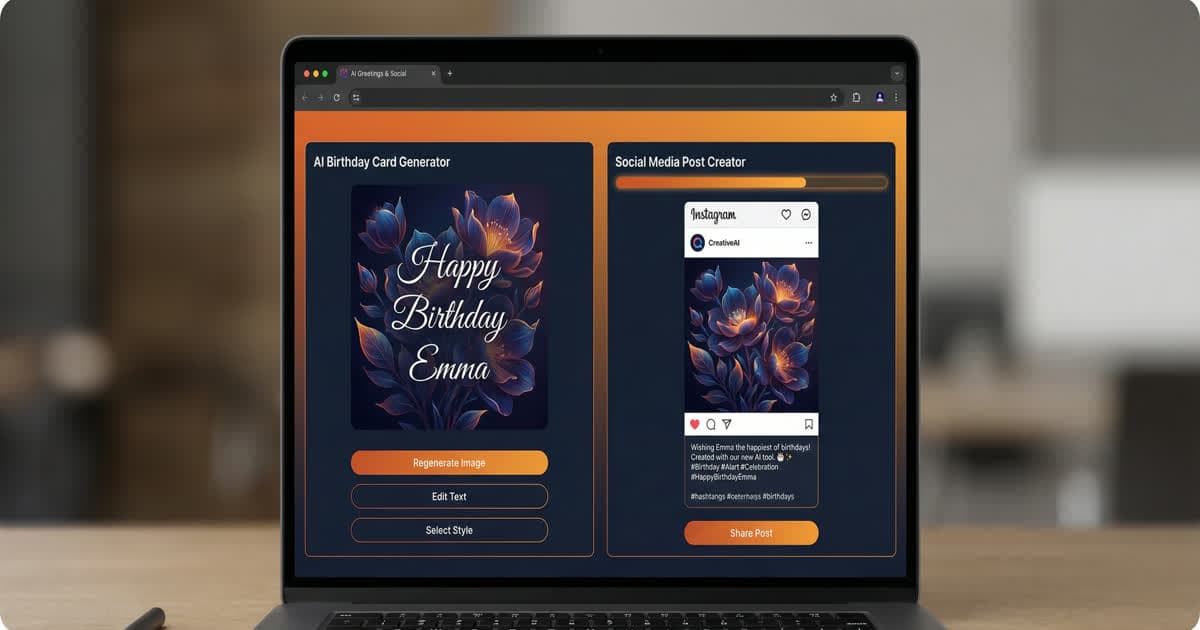
AI-powered social media card tools let small businesses and creators produce professional, custom visual content in under two minutes — no design skills needed. You describe your idea, the AI generates a unique image and writes a matching caption with hashtags, and you download or share it directly. This replaces hours of Canva work or the cost of a designer with a simple prompt.
Social media moves fast. Keeping up with a consistent stream of polished content used to mean hiring a designer, learning Canva inside-out, or spending your Sunday evenings batch-creating posts. Not anymore.
AI tools have changed the game — and if you haven't tried them yet, you're leaving reach on the table.
Why Visual Content Matters More Than Ever
Studies consistently show that posts with strong visuals get significantly more engagement than plain text. On Instagram, it's table stakes. On LinkedIn, a well-designed graphic can turn a routine announcement into a post that actually gets shared.
The problem? Most people aren't designers. And even if you are, the time investment adds up fast.
What AI-Generated Cards Can Do For You
With a tool like Instacards, the workflow looks like this:
- Describe your idea — tell the AI what you want. "Birthday card for my mum, watercolour flowers, warm and bright."
- Generate — the AI creates a beautiful image, writes a caption, and suggests hashtags.
- Customise — drag your text where you want it, pick a font, tweak the colours.
- Share — download as a PNG or share directly.
That's it. Start to finish in under two minutes.
Tips for Getting the Best Results
Be specific with your prompts
Vague prompts produce generic results. Instead of "a birthday card", try "a cheerful birthday card with confetti and pastel colours for a 30th birthday celebration." The more detail you give, the better the AI can match your vision.
Match your brand colours
If you're creating content for a business, consistency matters. Use the colour picker to match your brand palette — it makes a huge difference to how professional your content looks in a grid.
Mix AI images with your own photos
You don't have to use AI-generated images exclusively. Upload your own product photo or event picture, then let AI write the caption and hashtags. This combines authenticity with speed.
Batch your content
Set aside 20 minutes and create a week's worth of posts in one session. Having content ready means you're never scrambling to post something at the last minute.
Who Benefits Most
AI card tools work especially well for:
- Small business owners who need consistent content without a marketing team
- Event planners who send lots of personalised invites and announcements
- Freelancers who want a polished presence without spending hours on design
- Anyone sending cards — birthdays, thank-yous, celebrations — who wants something more personal than a stock template
The Bottom Line
The best content doesn't come from having the most time or the best design skills. It comes from having the right tools. AI has made high-quality, personalised visual content accessible to everyone — and the creators who embrace it early will have a real advantage.
Ready to see what you can make?
Frequently Asked Questions
Q: How do I create social media cards with AI?
Describe your card idea in plain English — include your business type, the post's purpose, and the visual style you want. A tool like instacards.ai then generates a unique image, writes a matching caption, and suggests relevant hashtags, all in under two minutes. No design software or skills required.
Q: What makes AI-generated social media cards better than templates?
Templates are used by thousands of people and are often recognizable as Canva or stock designs. AI-generated cards are created uniquely from your prompt — the image, layout, and text are original every time. This makes your content stand out in a feed full of template-based posts.
Q: Can small businesses realistically manage social media with AI tools?
Yes — AI card tools like instacards.ai dramatically reduce the time and skill required to create consistent, professional content. A week's worth of posts can be batched in under 30 minutes. The remaining human effort focuses on strategy, community engagement, and mixing in authentic photos.
Q: What details should I include in my AI card prompt?
For best results, mention: your business or context, the specific subject of the post, the visual mood or style, any brand colors, and the intended platform. The more context you give, the more targeted and professional the output.
Q: Is it worth using AI for social media if I only post once a week?
Yes — even occasional posters benefit from AI cards because the quality of each post improves significantly. A single well-crafted AI-generated post with a relevant image and optimized caption will outperform a rushed text-only post, regardless of posting frequency.